Software Design
This page includes a short description of the overall architecture style of the Herconnect HERBot application, its high-level system components, and their logical (what data they exchange) and control (how they invoke each other) dependencies.
Architecture Diagram
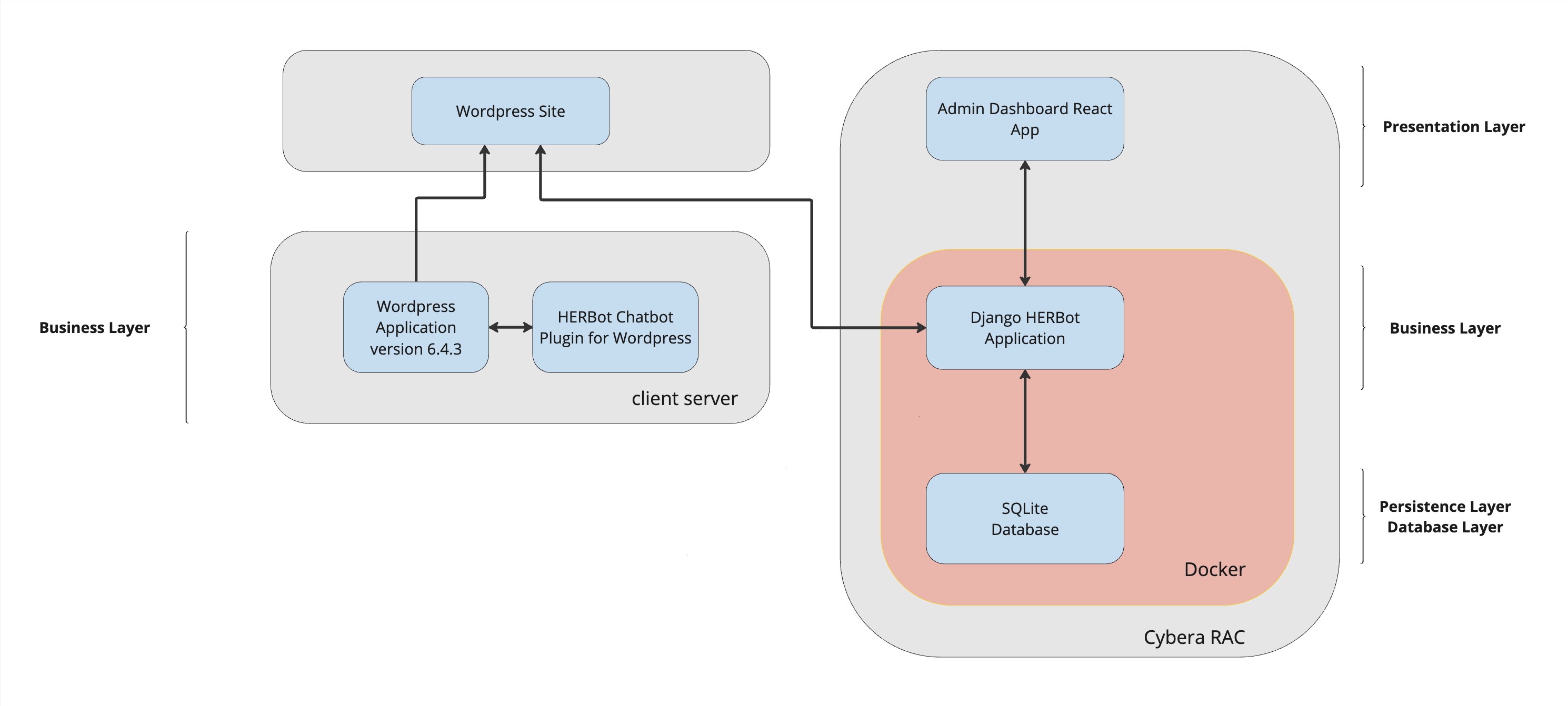
This is a short description of the architecture.
Note
There are two businesses layers present to deliver this product. The client server has an instance of a product called WordPress which is an application for the delivery a website or blog. Our plugin is connected to the business logic layer of WordPress, and Wordpress then injects our code when WordPress delivers the website to the clients browser.
At the Presentation Layer, the client is able to select options in the HERBot user interface to request information and receive information from the Django HERBot Application.
Libraries and Dependencies
Python
- Django - used to create web application
- Django Cors Headers - manages insertion of CORS information into HTTP headers
- Django Rest Framework - used for setting up API
- Playwright_Python - used for UI testing
Typescript/Javascript
- React - used to create single page app for the administration dashboard
- ReactFlow - used for node/edge modelling in the UI
- Playwright - used for UI testing
- Axios - used for API calls
- Material UI - used for design
- DagreJS - used for automatic placement of nodes and edges
Architecture
- Docker - used to containerize the WordPress staging site and the Django application
- Wordpress 6.4.3 - used to load our plugin
Interfaces
Our API documentation is generated by the Django Application, drf_spectacular, and is available on our deployed site at /docs. You can build the site locally and access this, or access on our production site:
If the site is not accessible at this time, you can copy the yaml code below and verify at https://editor.swagger.io/.
YAML Code
openapi: 3.0.3
    info:
    title: api-spec.yaml
    version: 1.0.0
    description: API & Deployment Project
    paths:
    /prompts/:
        get:
        operationId: all_prompts_retrieve
        tags:
        - all_prompts
        security:
        - cookieAuth: []
        - basicAuth: []
        - {}
        responses:
            '200':
            description: No response body
    /prompts/{option_clicked_id}/next/:
        get:
        operationId: next_prompt_retrieve
        parameters:
        - in: path
            name: option_clicked_id
            schema:
            type: integer
            required: true
        tags:
        - next_prompt
        security:
        - cookieAuth: []
        - basicAuth: []
        - {}
        responses:
            '200':
            description: No response body
    /prompts/start/:
        get:
        operationId: start_prompt_retrieve
        tags:
        - start_prompt
        security:
        - cookieAuth: []
        - basicAuth: []
        - {}
        responses:
            '200':
            description: No response body
    components:
    securitySchemes:
        basicAuth:
        type: http
        scheme: basic
        cookieAuth:
        type: apiKey
        in: cookie
        name: sessionid
Continuous Integration and Continuous Deployment
- Automated Tests - Automatically runs all the testing (Django, Plugin and Admin) when you push or pull-request into main or Sprint_5. When one or more of the tests fail the job fails.
- Continuous Deployment - Automatically deploys all the code from main branch when you push or pull-request into main
ER Diagram
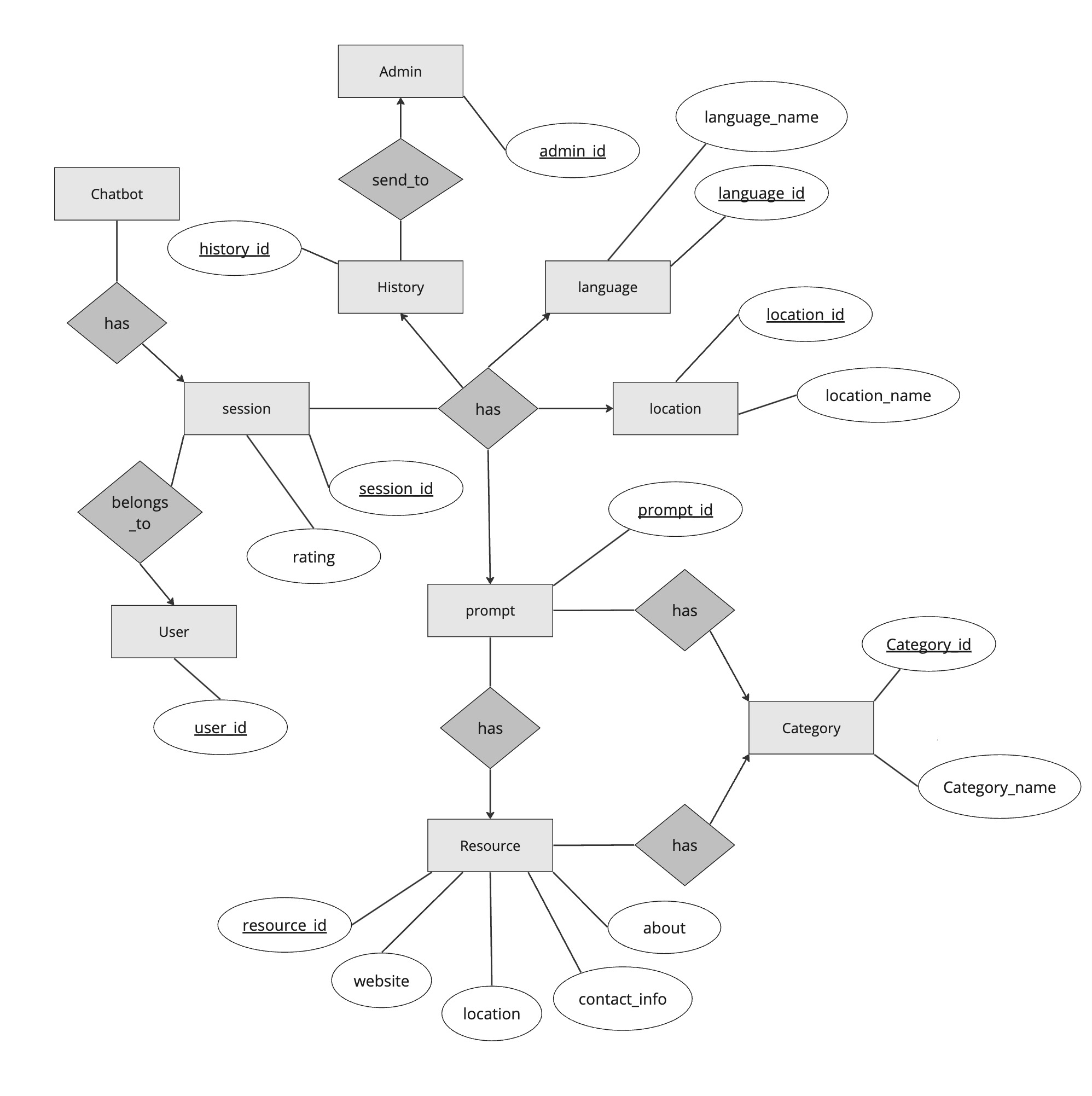
This is a short description of logical entities of the domain in a ER diagram.
Sequence Diagrams
User Interface Wireframes
Note
Click on the images to expand them for a closer look.
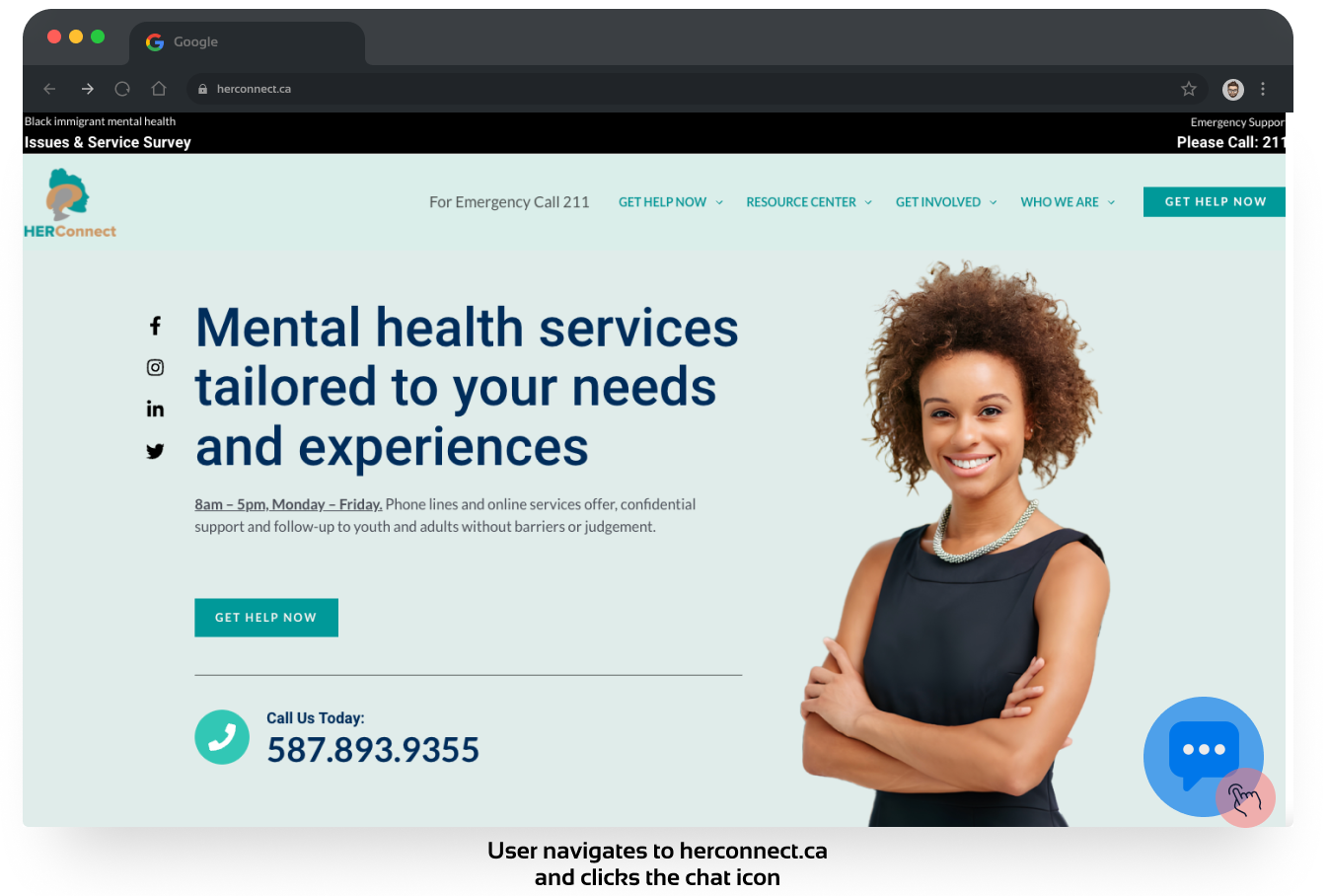
Open the Site
Info
- US 1.01 - Chatbot Access
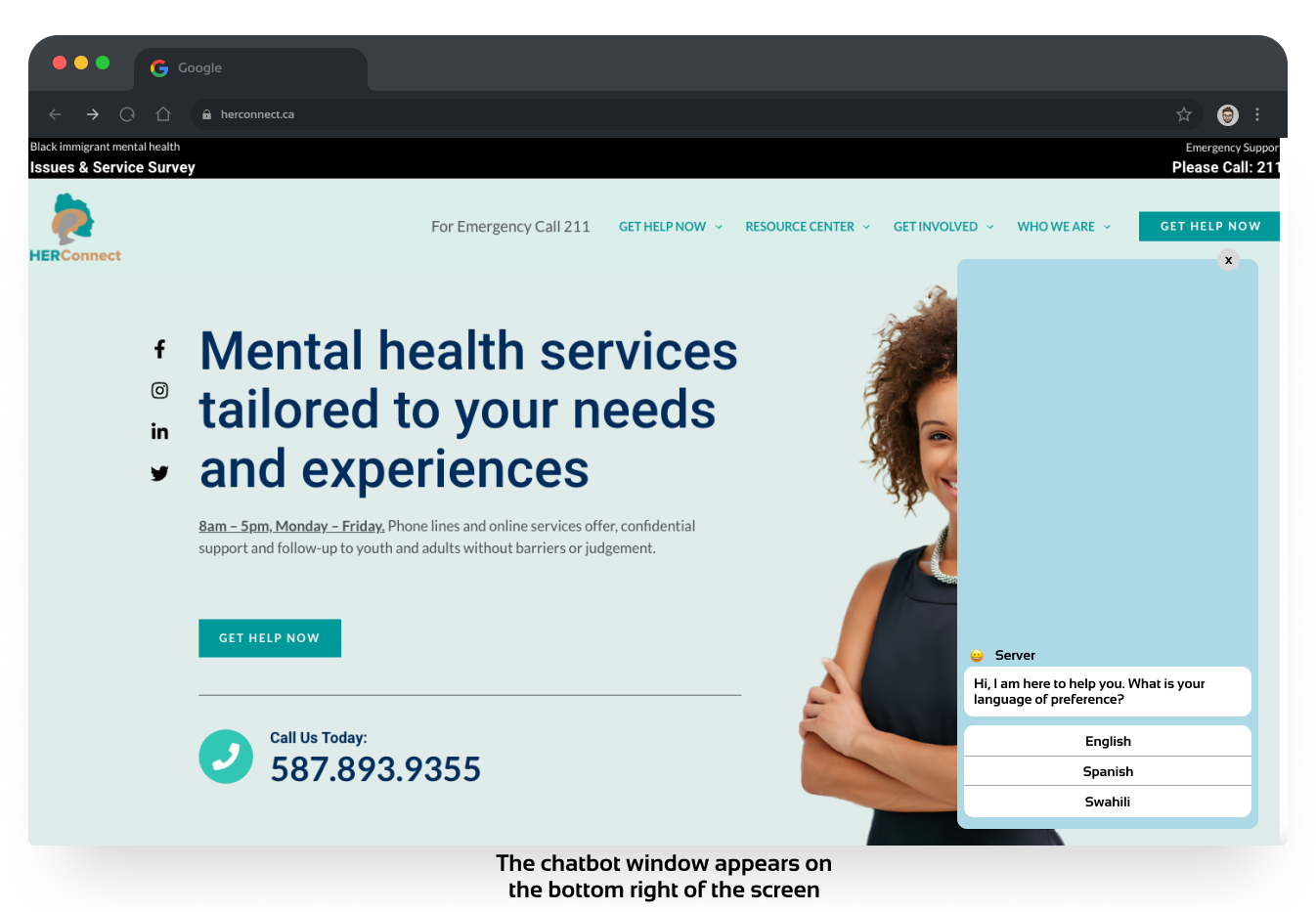
General Flow
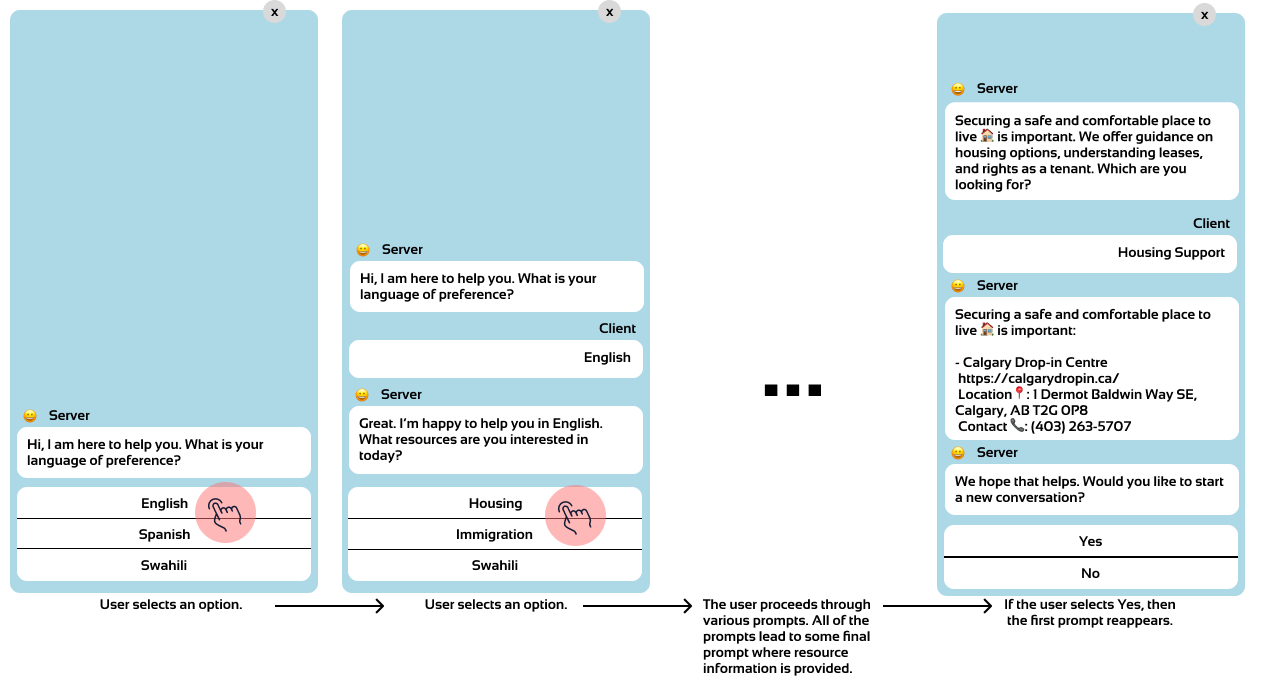
Info
- US 1.02 - Multilingual Text Conversation
- the user can select the language of their choice at the beginning of the chatbox interaction
- US 2.01 - Newcomer Resources
- this story and 2.02 are all of the content & prompts for the chatbot
- US 2.02 - Housing Resources
- US 2.03 - Start Over
Chatbot Conversation Rating
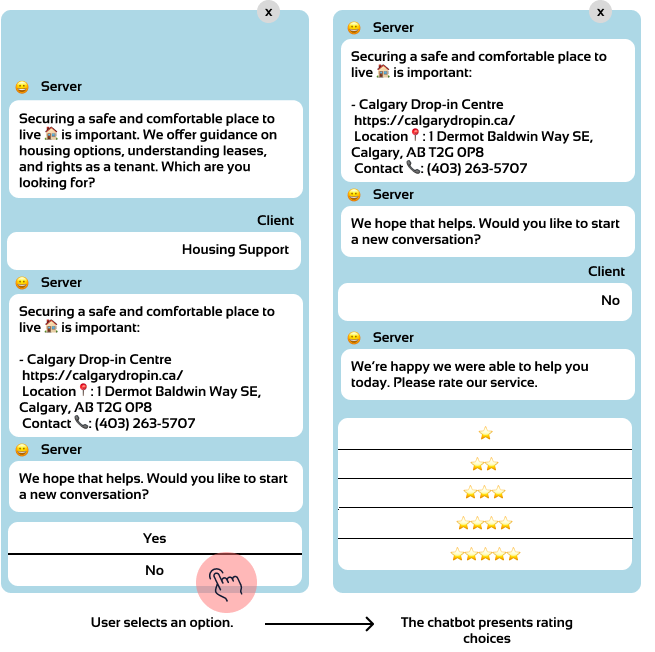
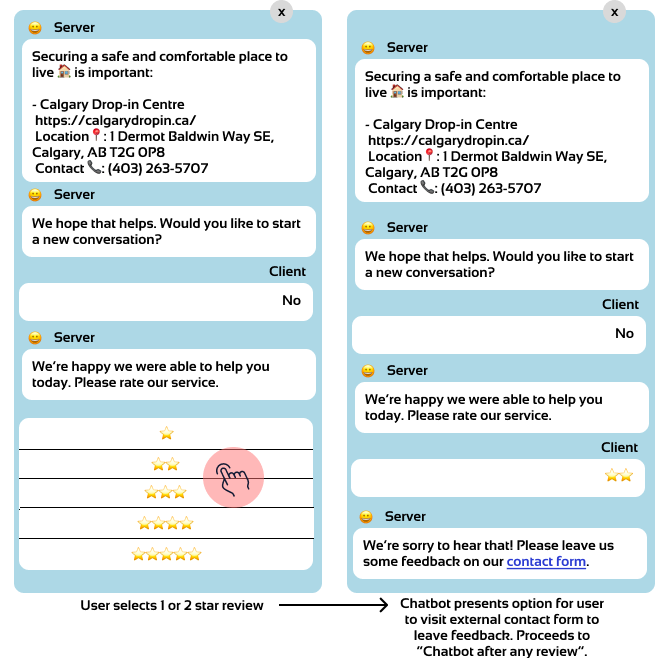
Info
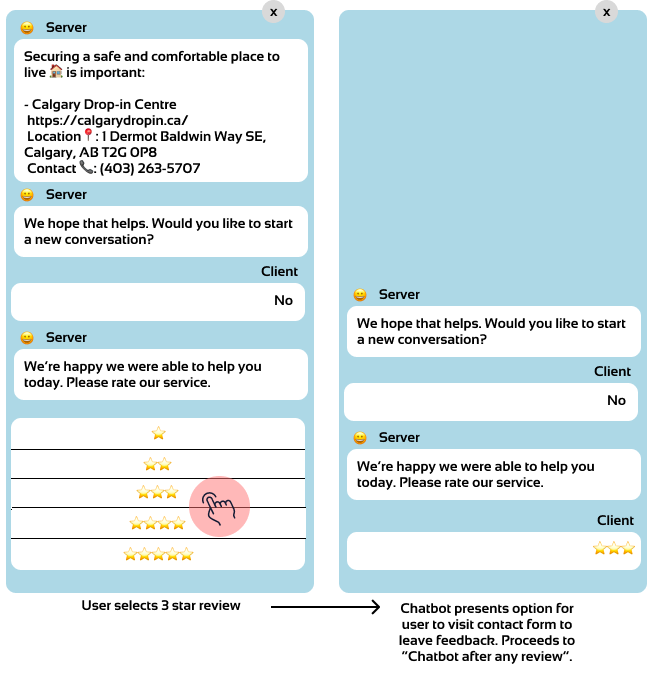
- US 3.01 - Negative feedback
Info
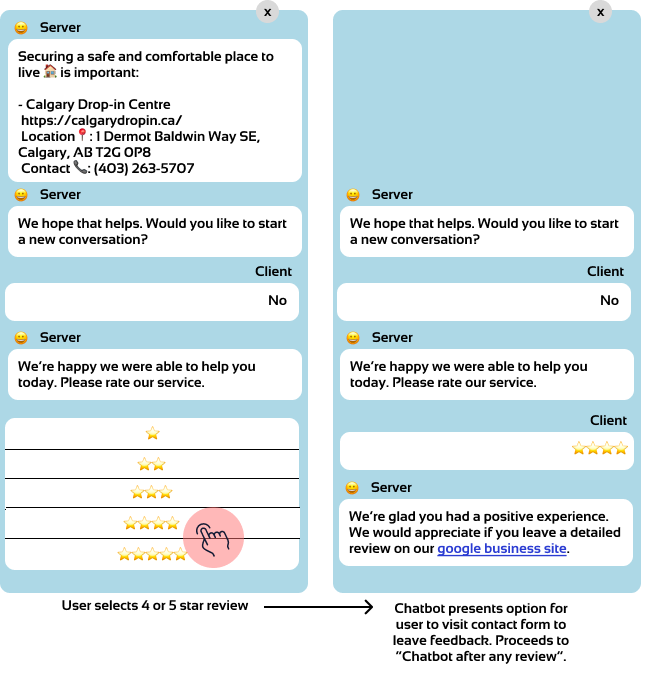
- US 3.02 - Positive feedback
Chatbot After Review
Info
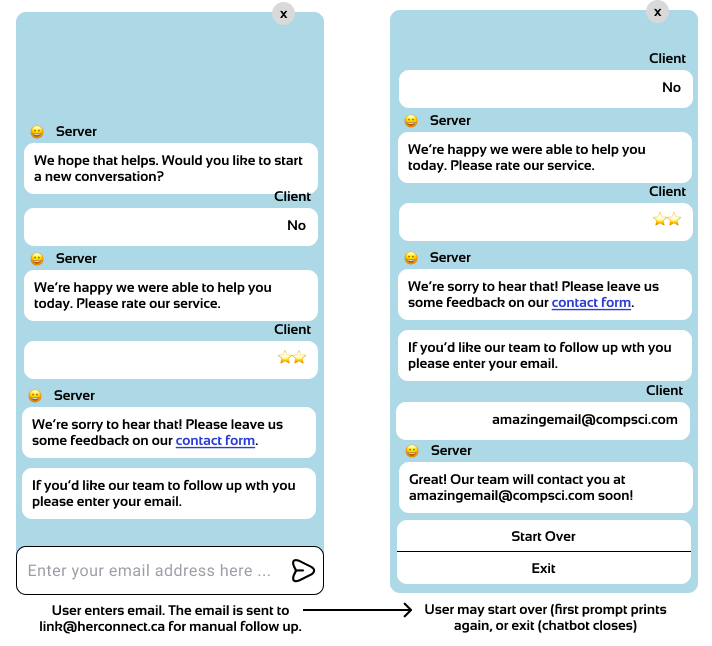
- US 3.03 - Customer Service Redirect
- US 3.04 - User Followup
Info
- US 3.04 - User Followup
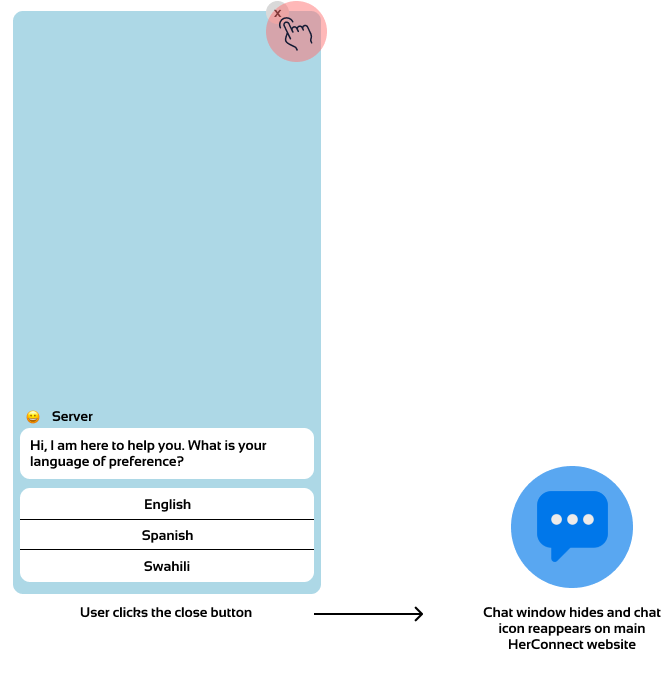
Chatbox Closed by User
Info
- US 2.03 - Start Over
UI/UX Design
User Control and Freedom
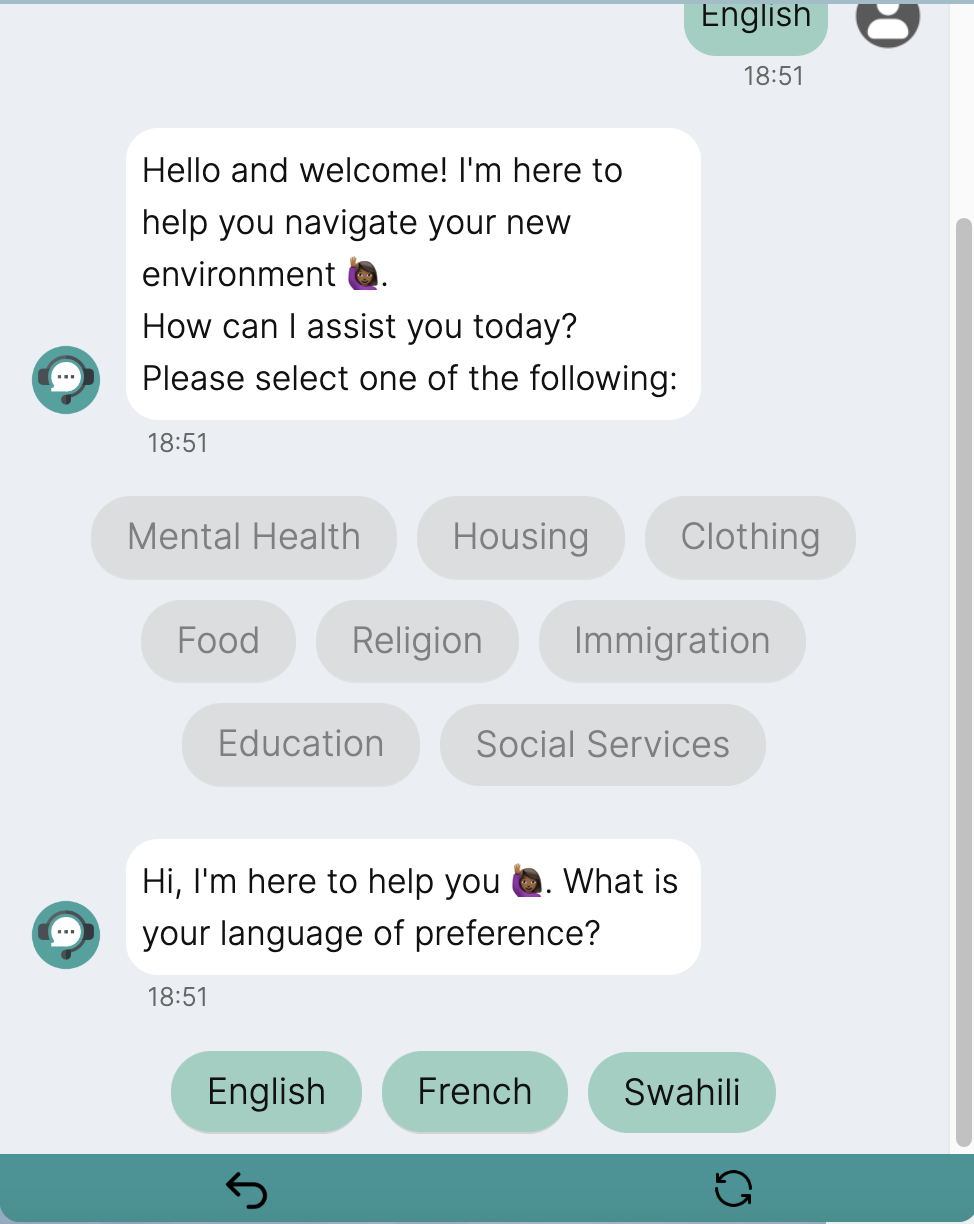 Screen 1: User Control and Freedom
Our chat interface features a convenient dropdown menu, accessible via an easily noticeable icon, offering undo and start-over options for streamlined navigation. The undo lets users revisit the previous conversation step, while start-over resets the chat. Additionally, an minimize button next to the dropdown provides flexibility to minimize the chat as needed.
Recognition Rather than Recall
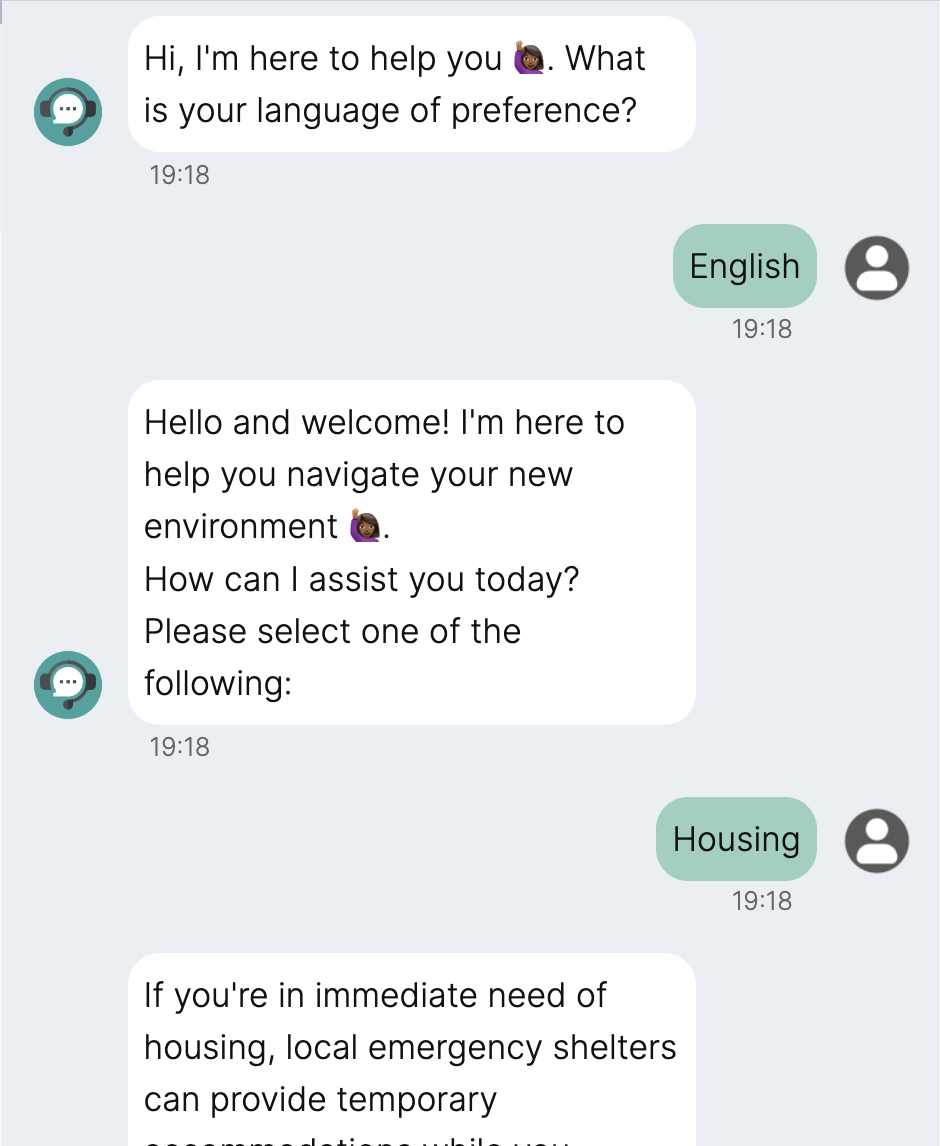 Screen 2: Recognition Rather than Recall
The HERBot interface simplifies interaction by displaying messages that confirm user selections, eliminating the need for memory recall and enhancing navigation with immediate, clear feedback.
Aesthetic and Minimalist Design
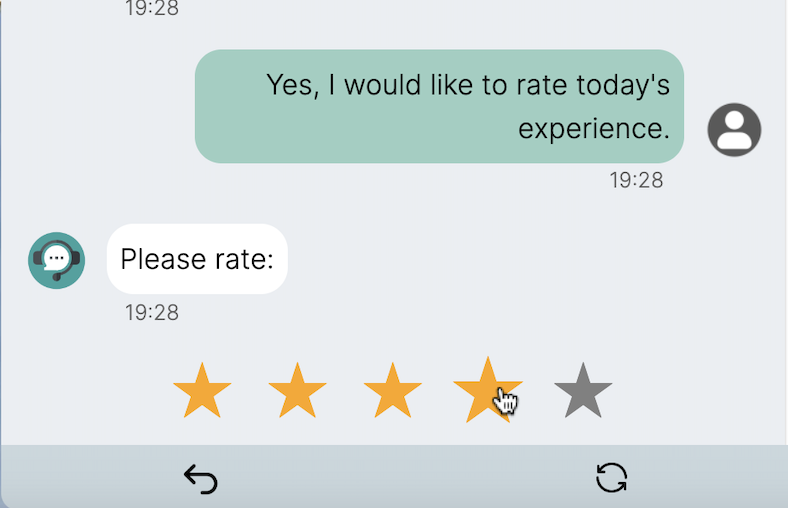
Screen 3: Aesthetic and Minimalist Design
The HERBot interface boasts a minimalist design, enhanced by a modern color scheme for visual appeal. It further streamlines communication clarity by replacing sender titles, such as 'HERBot' and 'User', with intuitive icons adjacent to the message box. Positioning these icons at the same level as the message box reduces unnecessary white space, contributing to a sleek, visually cohesive user experience. This approach is exemplified in Screen 3, showcasing how design facilitates usability by prioritizing recognition over recall.
Contrast
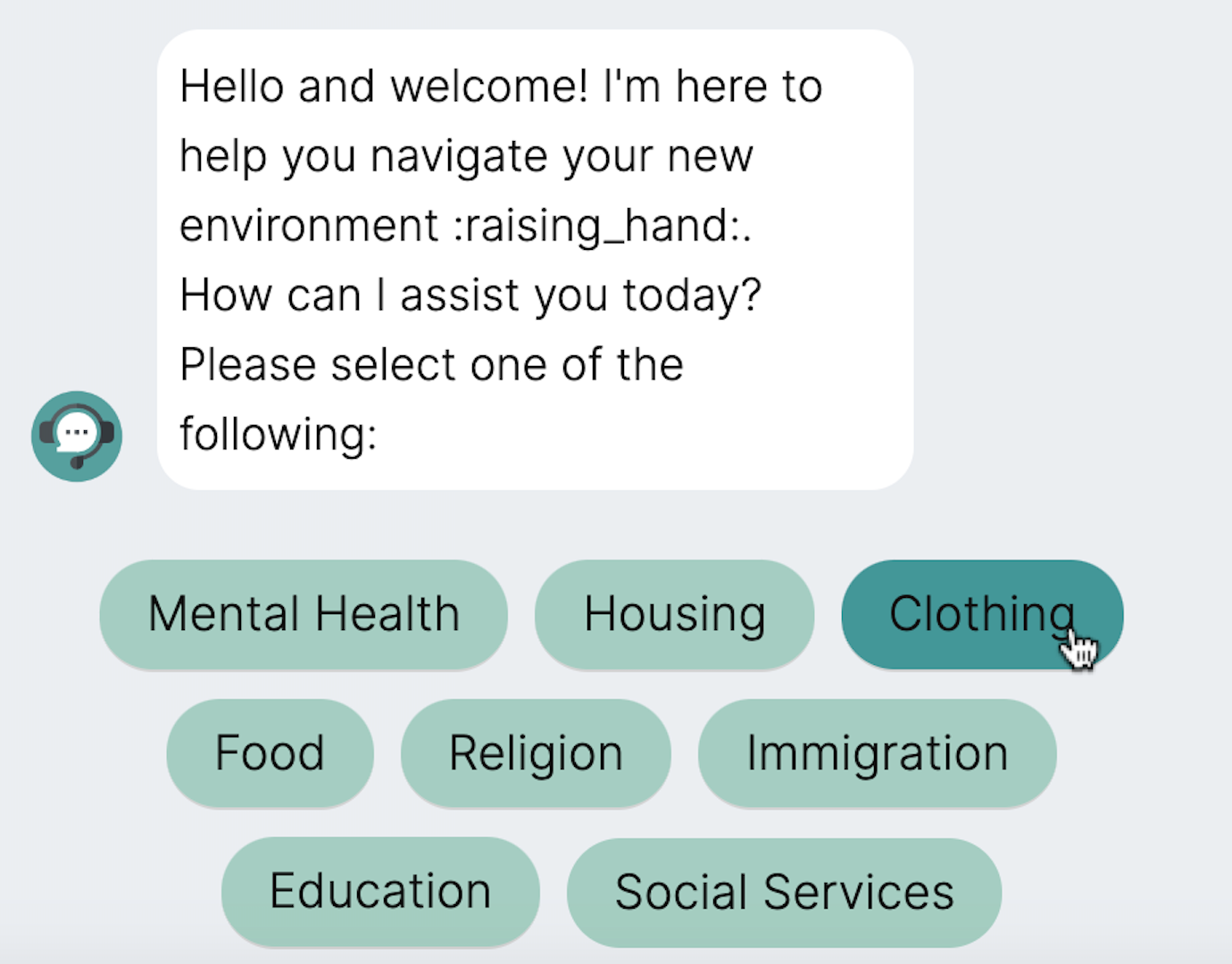 Screen 4: Contrast
Our chat interface enhances user interaction with distinctive contrast techniques, especially for selection options. When users hover over their choices, the highlighted options ensure clarity and focus, facilitating a seamless selection process. This visual feedback is critical in guiding users through their conversational journey, allowing for intuitive navigation and decision-making within the chat environment.
Alignment
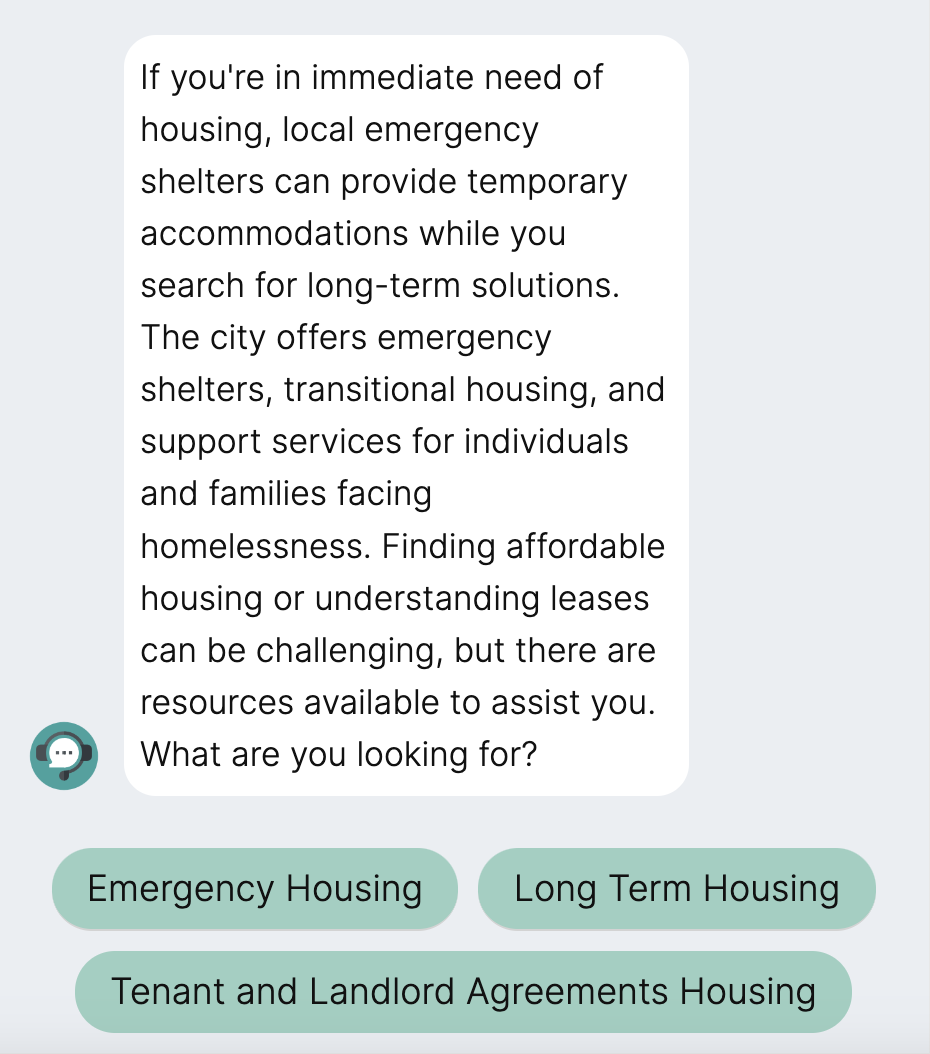 Screen 5: Alignment
Our chat interface embraces Alignment, with text left-aligned within bubbles for clarity, and user selections organized in a column layout for ease of use, ensuring a visually coherent and efficient interaction experience.
Proximity
Our chat interface utilizes the Proximity principle by placing user selections at the bottom with a unified background color for intuitive navigation, while grouping flow-control features like undo and start-over in a dropdown menu to emphasize their related functions, ensuring a streamlined and coherent user experience. These design choices are exemplified in Screens 1 and 3.
Error Prevention
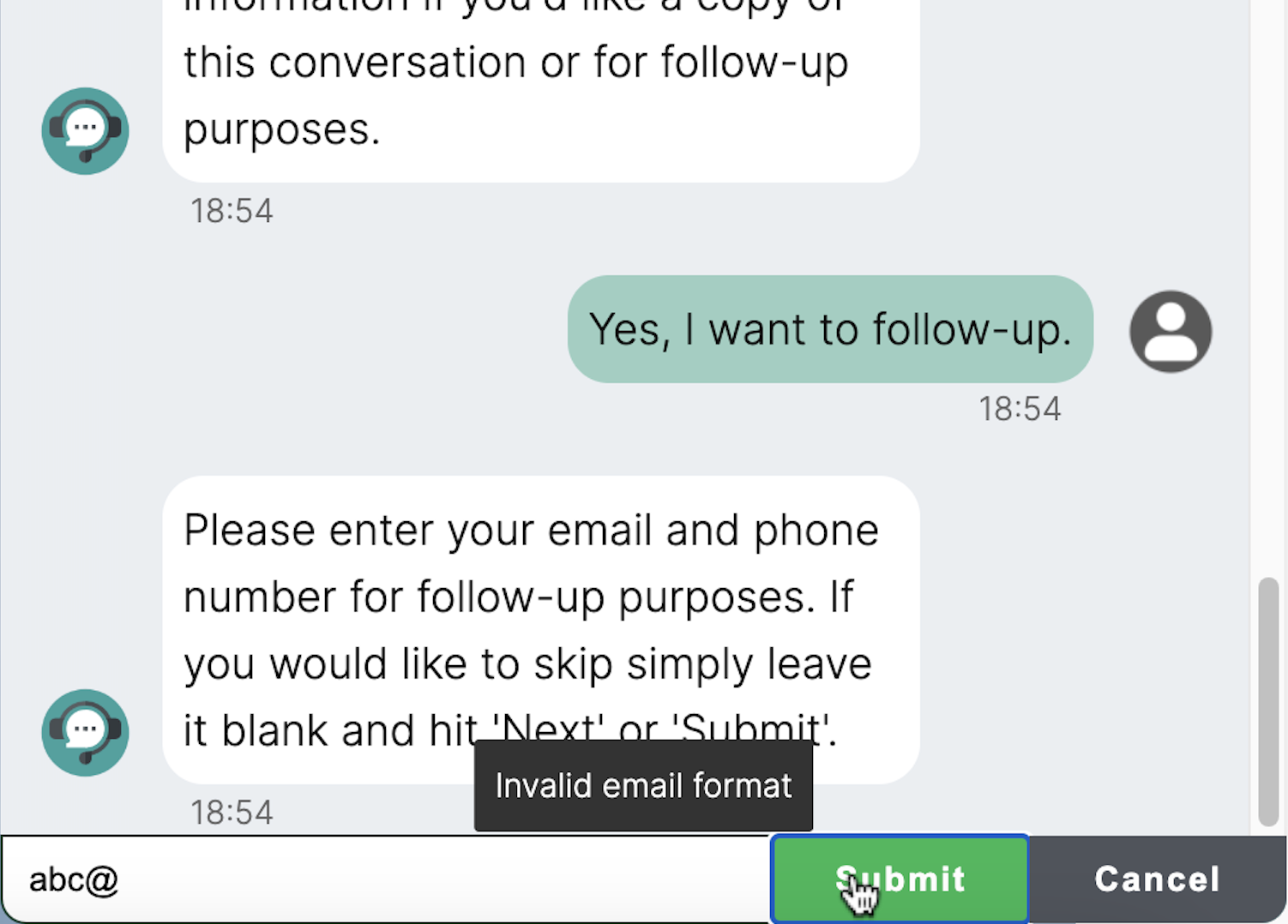 Screen 6: Error Prevention
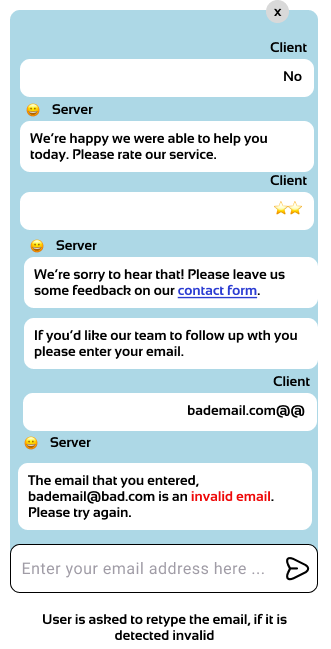
The HERBot interface prioritizes Error Prevention by providing feedback when users enter invalid email addresses, preventing potential errors and guiding users to correct their input. This proactive approach enhances user experience by ensuring seamless interaction and reducing frustration.